Introduction
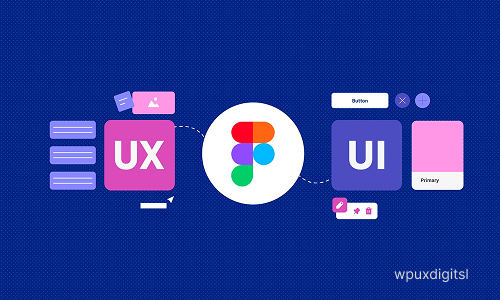
Figma is an important tool in the field of UI/UX design as it assists designers to build, design, and test on digital product designs. It is one of the cloud based design tools that are popular in designing user interfaces and enhancing user experiences of sites and mobile applications. Figma enables a collaboration between designers, developers and stakeholders in real time which makes the design process more transparent and faster.
Wireframing and prototyping is one of the most significant Figma functions in design of UI/UX. This assists in visualising at the initial stage and finding out the usability problems. Through interactive prototyping, the designer is able to simulate user interaction, test the navigation and how the user may feel with the final product.
Figma in UI design is used to make visually appealing interfaces based on frames, grids, components, and design systems. Designers are able to create reusable buttons, icons, and layouts so that the whole product looks the same. It has an auto-layout feature that creates responsive design that is easy to scale to the various screen sizes. In the case of UX design Figma works with user flows, wireframes and interactive prototypes. The ability to simulate actual behavior of the app through the use of clickable objects, transitions, and animation allows designers to test the usability of the app prior to its development. This saves on the unnecessary revisions in the future.


Figma is also important in visual UI design. It enables the designers to build high-resolution designs with tight control of color, typeface, and icons, spacing, as well as parts. Figma recommends reusable components and design systems to guarantee that screens and projects remain consistent. This uniformity enhances usability and development of a powerful brand.
Being cloud-based, several team members are able to work on the same design file at the same time. Designers get instant feedback in the form of comments whereas developers and stakeholders get real-time review of designs. This minimizes the communication differences and accelerates the design approval process.
Figma Importance
Figma can also be used to carry out usability testing and iteration. Designers are able to send prototypes to users or clients to receive feedback and improve them in a short period of time. The updates are immediate and the user experience can be refined on a continuous basis. Moreover, the developer handoff capabilities of Figma have design specifications, measurements, and assets, which simplify the implementation of designs by the developers.
To conclude, Figma is a crucial tool in the field of UI/UX design as it facilitates the wireframing, prototyping, visual design, collaboration, testing, and developer handoff. Its adaptability and live-collaboration can make it a potent instrument of designing user-friendly, coherent and good quality digital experiences.
Tips
- Confidence Boosters: How Coaching Can Transform Your Mindset
- Why Emotional Intelligence Matters in Business Leadership
- Why More CEOs Are Turning to Coaches in Today’s Economy
- Balancing Business Growth and Personal Life: A Coaching Perspective
- Flow Never again arrange wireframes, final UI, components, and prototypes so that they can be easily navigated in separate pages
- making significant changes in a project, it is a good idea to save points so that you can always undo them
Contact Us
“Reach out to WPUX Digital for inquiries, support, or project discussions—we’re here to help you succeed.”
Get in Touch with Us!
“Connect with WPUX Digital today to discuss your project, ask questions, or explore tailored digital solutions.”
- Haryana, Panipat-132103
- wpuxdigital@gmail.com
- +91 8222000329