Introduction
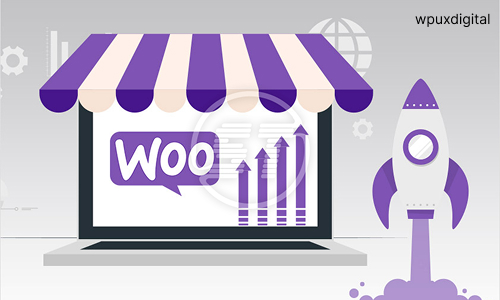
A WooCommerce store is one of the most effective methods of designing a flexible and scalable e-commerce site in WordPress. WooCommerce is a powerful application that could transform a WordPress Webpage into a fully functioning online store that would allow business to market both physical products, virtual products or services with minimal effort. It entails a development process such as, planning, establishment, customizing, and optimization to ensure that the shopping experience to the users and to the business is an excellent experience.
The first step in the development of a WooCommerce store would be to find a good domain name and a reliable web hosting. The domain name needs to be the one of the brand and easy to remember by the customers. Importance of hosting is in terms of store performance, speed and security. It is suggested to use WordPress-optimized or WooCommerce-optimized hosting with the capabilities of SSD storage, free of charge SSL certificates, daily backups, and high uptime.


Once the hosting is set up, one can install WordPress and the WooCommerce plug-in. WordPress is easy to install with a one-Click installer that is provided by most hosting companies. After installing WordPress, it is possible to install WooCommerce in the WordPress directory of the plugins. WooCommerce opens a setup wizard when switched on and guides the system user through such basic settings as store location, currency, tax settings, payment options and shipping options. With this initial setup, it is possible to establish the online store.
The other important step in store development will be the selection of the theme that can be compatible with WooCommerce. A good theme brings in visual appeal, usefulness and confidence to the customers. The availability of Woo-Commerce-compatible themes will be intended to provide assistance to product pages, shopping carts, and checkout services. It cannot be any other than reactive in its theme which will offer a smooth online shopping experience on smart phones, tablets and PCs.
Woo-Commerce Websites
It is necessary to maximize the WooCommerce shop in the performance and search websites. SEO friendly products are the title of products, meta description and URLs and increase the visibility on the search engine. SEO, security and performance plug ins will be installed to ensure the smooth running of the store and that it is not susceptible to threats. 50% of fast and secure store makes repeat buyers.
WooCommerce store pre-testing is a highly significant factor that should not be compromised. Testing will involve checking of product pages, cart, payment, shipping and mobile testing. By identifying and rectifying some of the issues prior to the launch, this will ensure that the customers will find it easy to shop. After being completely tested the store can be opened and promoted through the digital marketing such as search engine optimization, social networking, and the use of e-mails.
- Confidence Boosters: How Coaching Can Transform Your Mindset
- Why Emotional Intelligence Matters in Business Leadership
- Why More CEOs Are Turning to Coaches in Today’s Economy
- Balancing Business Growth and Personal Life: A Coaching Perspective
Contact Us
“Reach out to WPUX Digital for inquiries, support, or project discussions—we’re here to help you succeed.”
Get in Touch with Us!
“Connect with WPUX Digital today to discuss your project, ask questions, or explore tailored digital solutions.”
- Haryana, Panipat-132103
- wpuxdigital@gmail.com
- +91 8222000329